

Customers want fast, accurate answers on any channel. Agents juggle multiple tools, repeat the same questions, and still miss details that live inside scattered systems.
An AI Contact Center embeds machine learning across voice and digital channels so virtual agents, routing, and Agent Assist work together to solve more tasks on first contact, not the third.
In a traditional contact center, the phone system, IVR, CRM, and knowledge base all live in separate layers. AI ties these layers together 1. ASR and NLU listen and understand, dialog management guides the next step, and APIs connect to CRM, ticketing, and payments. Simple intents stay with virtual agents. Complex cases move to humans with full context instead of cold transfers. When this works, you see higher containment, faster resolutions, and clearer data for every channel, from SIP voice to web chat.
How does conversational AI improve my first-contact resolution?
Teams often think “bots” only deflect traffic. The real value appears when AI helps the customer finish more tasks completely on the first try.
Conversational AI improves first-contact resolution by understanding intent in natural language, executing back-end actions over APIs, and guiding both bots and humans through the exact steps needed to finish the job.
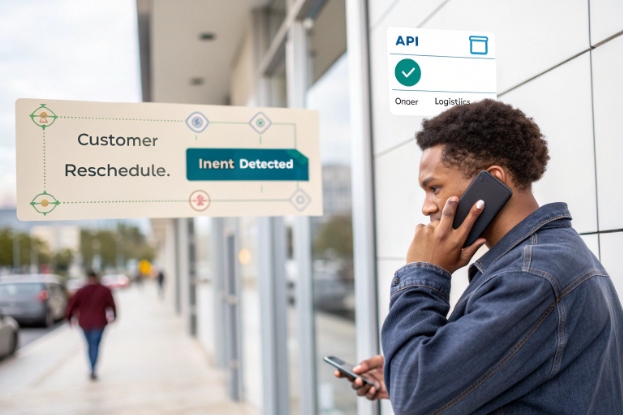
From FAQ bot to task completion engine
First-contact resolution (FCR) 2 does not improve just because a bot greets the customer. It improves when the system can:
- Capture intent clearly in the first or second turn
- Verify who the customer is with lightweight authentication
- Call core systems (CRM, billing, logistics) 3 to take real actions
- Confirm the outcome and close the loop
For example, a customer says: “I need to reschedule my delivery.” A good conversational layer:
- Detects the “reschedule_delivery” intent.
- Uses ANI or login data to identify the account.
- Fetches active orders and offers new time slots.
- Writes the change back through an API.
- Confirms the new date and sends a notification.
There is no ticket ping-pong, no “we will call you back.” The task is done in one pass.
Virtual agents and Agent Assist share this understanding. When a bot has low confidence or hits a rule boundary, it passes structured data to a human: intent, entities (dates, products, amounts), and recent dialog. The agent continues instead of starting again with “How can I help you?”
Using history and profiles to prevent repeat contacts
Conversational AI is far more effective when it can see context 4:
- Recent orders, tickets, or outages
- Customer segment and service level
- Preferred channel and language
This context changes both the response and the path:
| Context signal | AI behavior | FCR impact |
|---|---|---|
| Recent open ticket | Offer status or join the existing thread | Fewer duplicate cases |
| Known device or product | Skip generic questions, go straight to relevant checks | Faster troubleshooting |
| VIP or high-risk customer | Shorter paths to humans, richer Agent Assist guidance | Higher chance to solve on first attempt |
| Known payment issue | Route directly to resolution flows | Less bouncing between departments |
When we deploy SIP-based or cloud contact center flows, the biggest FCR jump usually comes from this combination: intent understanding plus backend actions plus good use of history. The bot is not just “answering questions.” It is closing loops.
Letting AI help humans fix more on the first call
Even when AI does not handle the entire interaction, it can lift human FCR. During live calls and chats, Agent Assist can:
- Suggest clarifying questions based on intent and past failures
- Pull step-by-step troubleshooting guides from knowledge bases
- Auto-fill forms and tickets with data harvested from the conversation
- Surface “next best actions” that match policy and customer profile
This means fewer “I will send this to another team,” and fewer follow-up contacts. Agents feel less pressure to remember every rule. Customers notice that their issue gets resolved without three handoffs. That is FCR, not just “AI presence.”
Do I still need live agents with virtual assistants?
Many leaders quietly worry that AI projects are just a path to replace agents entirely. In practice, that mindset usually kills adoption and quality.
You still need live agents because virtual assistants are best at repeatable, structured work; humans handle exceptions, empathy, complex judgment, and everything that does not fit clean rules.

Dividing work between bots and humans
Think of virtual agents as specialists in a few clear areas 5:
- Authentication and data collection
- Common status queries (orders, appointments, balances)
- Simple updates (address changes, password resets)
- Structured workflows like basic troubleshooting scripts
Humans then focus on:
- Multi-issue conversations
- Emotional or sensitive topics
- Cases where policy is flexible and judgment matters
- Situations where systems do not yet support full automation
A simple map:
| Task type | Best handled by | Why |
|---|---|---|
| Repetitive, high-volume | Virtual agent | Consistent, fast, 24/7 |
| Complex, multi-step | Human agent with AI guidance | Needs judgment and negotiation |
| Highly regulated edge cases | Specialist human + AI prompts | Risk and compliance require oversight |
| Troubleshooting across systems | Human + backend context | Many paths, not all rules are codified |
When routing respects this split, everyone wins. Customers get fast answers for simple things and more attention for complex ones. Agents spend less time on repetitive tasks and more on work where skills matter.
Human-in-the-loop as a design principle 6
AI is strongest when humans can correct, override, or refine it. For live operations, this means:
- Virtual agents escalate as soon as confidence drops below a threshold
- Agents see the bot’s understanding, not just raw text
- Supervisors can adjust prompts, knowledge, and routes based on real cases
Agent Assist should also feel like a helpful colleague, not a noisy dashboard. It should:
- Listen quietly
- Offer suggestions when they are relevant
- Stay out of the way when agents are already confident
If agents feel AI tools reduce their workload and help them hit targets, adoption takes care of itself. If tools feel like surveillance or extra noise, they get ignored.
Supporting remote and hybrid teams
With more teams working remotely, AI functions as shared memory and coach:
- Automated summaries keep everyone aligned without long emails
- Recorded calls with searchable transcripts make best practices easy to find
- Auto-scoring and sentiment trends guide coaching sessions
This does not remove the need for supervisors or trainers. It gives them better inputs and more time to focus on real coaching instead of manual scorecards. The human side stays central. AI just handles more of the routine analysis.
How do I start a pilot without disrupting operations?
A big-bang rollout across all queues is the fastest way to erode trust and overwhelm your teams.
Start with a narrow AI pilot on one or two clear intents, with strong escalation rules and a small agent group, then expand based on data instead of hype.

Choose a small, high-impact slice
The best pilots share four traits 7:
- High volume: enough interactions to see trends quickly
- Low risk: limited regulatory or safety exposure
- Clear intent: customers describe it in simple language
- Straightforward back-end logic: a few API calls, not a complex maze
Typical candidates:
- “Where is my order?”
- “I want to reset my password.”
- “Please confirm my appointment time.”
You define what “success” looks like before you start. For example:
- Containment above a certain level
- Reduced AHT for escalated calls
- Stable or improved CSAT for that intent
Roll out in stages, not all at once
A safe pilot flow usually looks like this:
-
Shadow mode
- AI listens and predicts intents without responding to customers.
- You compare its predictions with actual outcomes to tune models.
-
Assist-only mode
- AI suggests replies and next steps to agents, but agents stay in control.
- You measure changes in AHT, handle quality, and adoption.
-
Limited self-service
- AI handles the chosen intents end-to-end for a small percentage of traffic.
- Low-confidence or complex cases escalate immediately.
-
Scale up by queue and channel
- Increase coverage for successful intents and add new ones gradually.
This approach protects operations. If something fails, humans are already in the loop and escalation is routine, not a last-second patch.
Prepare people and metrics in advance
Pilot success depends on more than models. You also need:
- Clear communication to agents about what the pilot does and does not do
- Training for supervisors on new dashboards and controls
- A rollback plan for each phase, even if you never need it
A simple pilot checklist:
| Area | Question to answer before launch |
|---|---|
| Scope | Which intents and queues are in or out? |
| Escalation | When does AI hand off, and how is context passed? |
| Ownership | Who tunes prompts, knowledge, and routing? |
| Metrics | Which KPIs decide if the pilot expands or stops? |
When these basics are in place, the pilot feels like a structured test, not an experiment run on your customers without warning.
Which KPIs should I track for AI performance?
If you only track “bot containment,” you will miss the real picture. AI can shift costs, risk, and customer feelings in subtle ways.
Track both AI-specific metrics (containment, intent accuracy, automation rate) and end-to-end contact center KPIs (FCR, AHT, CSAT, cost per contact) to see if AI is truly helping.

Core AI metrics
These tell you whether the bot and Agent Assist behave as expected:
- Intent accuracy: how often the system predicts the correct intent
- Entity/slot accuracy: how often dates, amounts, and IDs are captured correctly
- Containment rate: how many interactions the virtual agent resolves without escalation
- Escalation with context: how often handoffs include full, usable context
You can summarize:
| AI metric | Why it matters |
|---|---|
| Intent accuracy | Wrong intent means wrong path from the start |
| Entity accuracy | Bad data leads to wrong actions or re-asking |
| Containment rate | Shows how much work AI really removes |
| Contextful escalations | Prevents customers re-explaining their issue |
If containment is high but CSAT is low, you may be forcing too much into self-service. If intent accuracy is good but escalation is frequent, business rules or back-end integrations might be the bottleneck, not the model.
Contact center KPIs influenced by AI
You also track the classic KPIs and watch how they shift when AI is active:
- First-contact resolution (FCR): does the mix of AI and humans actually close more issues on first try?
- Average Handle Time (AHT): does Agent Assist and pre-collection shorten calls without hurting quality?
- Average Waiting Time (AWT) and abandonment: does self-service reduce pressure on queues?
- CSAT and NPS: do customers like the new experience?
You can view before-and-after for pilot queues:
| KPI | Before AI | After AI pilot | Direction you want |
|---|---|---|---|
| FCR | 70% | 80% | Up |
| AHT | 7:30 minutes | 6:10 minutes | Down or stable |
| AWT | 60 seconds | 40 seconds | Down |
| CSAT | 4.1 / 5 | 4.3 / 5 | Up |
| Cost/contact | $4.50 | $3.80 | Down |
Even small shifts add up at scale, especially when they apply to your highest-volume intents.
Governance and continuous improvement
AI performance is not “set and forget.” Treat metrics as part of a governance loop:
- Collect real conversations and outcomes.
- Review errors, edge cases, and complaints.
- Update prompts, knowledge, and routing rules.
- Re-run A/B tests before rolling changes to everyone.
Someone in your team should own this loop. It sits between CX, operations, and IT. Without it, AI quality drifts, and the early wins fade.
Conclusion
An AI Contact Center works when conversational AI handles the right tasks, humans stay in control for the rest, pilots roll out in small steps, and KPIs track both automation quality and real customer outcomes.
Footnotes
-
Overview of how AI connects telephony, IVR, CRM and knowledge layers in modern contact centers. ↩ ↩
-
Deep dive into first-contact resolution, its definition, and why it matters for CX performance. ↩ ↩
-
Example of integrating CRM and back-office systems so bots can execute real account changes. ↩ ↩
-
Discussion of using customer context and history to personalize AI-powered service journeys. ↩ ↩
-
Definition and capabilities of virtual agents in contact centers, including common use cases. ↩ ↩
-
Principles for designing human-in-the-loop AI systems that keep people in control. ↩ ↩
-
Practical guide to planning and running small, low-risk pilots for new contact center technology. ↩ ↩








