
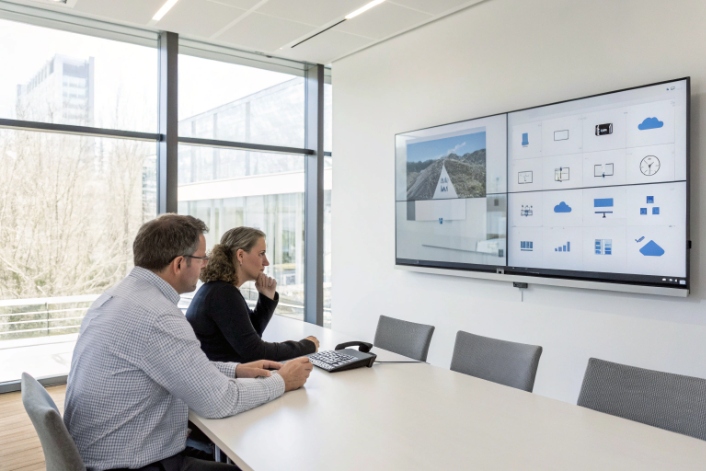
Many projects start with one simple question: keep the old analog gear or move everything to digital and IP. The risk is buying into the wrong path for the next five years.
An analog system uses continuous physical signals, while a digital system converts those signals into discrete binary data; digital brings better noise control, features, and scalability, but analog stays simple and direct.
In an analog system, information lives as continuous voltage, current, or frequency 1. Signals flow in real time through wires and components. Noise, drift, and distance slowly change the waveform. In a digital system, the same information turns into samples, bits, and packets. The system processes it with algorithms, replays it, and routes it with logic.
For voice and intercom projects, that difference shows up in very practical ways:
- Analog uses continuous waveforms. Digital uses 0 and 1.
- Analog processes signals with amplifiers and filters. Digital uses DSPs, CPUs, and software.
- Analog accumulates noise and drift. Digital adds quantization limits but keeps copies clean and stable.
- Analog often dedicates one pair of wires per call. Digital compresses, multiplexes, and packetizes to share links.
- Analog functions are mostly fixed in hardware. Digital behavior is flexible and can change with software.
- Analog tends to degrade slowly. Digital tends to work perfectly until it hits a limit, then it fails fast.
With that base in mind, the real questions are about budget, growth, mixing old and new devices, ongoing maintenance, and how much training your team needs. Let us walk through those one by one.
Which system suits my budget and growth plans?
Budgets are always tight, and the first quote for a full IP upgrade can look scary next to a simple analog refresh. It is easy to focus on this year and forget year three.
If you plan to stay small with basic voice, analog can be enough; if you expect growth, multi-site projects, or integration with IT and security, a digital or hybrid system usually wins over time.
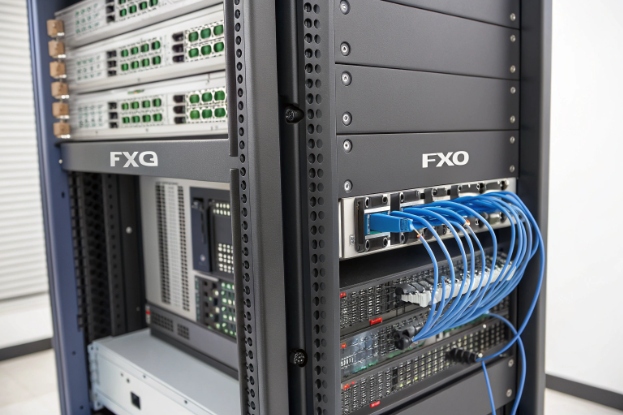
Short-term budget view
In the short term, analog often looks cheaper:
- Handsets and analog phones cost less per unit.
- Existing copper wiring stays in place.
- No need for switches with PoE or VLAN design.
You pay for physical ports and point-to-point lines. Each extension or intercom has its own pair of wires, its own analog port on a PBX or gateway. Labor for small moves and changes is simple. For a micro office, a school wing, or a small plant, this can fit well.
Digital systems move most logic into software and IP networks. The upfront bill may include:
- IP PBX or cloud licenses 2.
- PoE switches and better routers.
- IP phones, SIP intercoms, cameras, or indoor stations.
So the first invoice can be higher. But the cost per added user drops fast once the base is in place.
Long-term growth view
Growth changes the math. Digital systems scale more smoothly because one data network can carry many streams. You add licenses, endpoints, or virtual instances, not whole new analog frames.
Here is a simple view:
| Scenario | Analog focus | Digital / IP focus |
|---|---|---|
| Under 20 endpoints, single site | Very low cost, simple to run | Small extra cost, some future-proofing |
| 20–100 endpoints, some expansion | Wiring and port limits show up fast | Better scaling, flexible numbering, remote sites possible |
| 100+ endpoints, multi-site | Hard to manage, complex cabling and trunks | Central control, SIP trunks, cloud options |
| Frequent feature changes or new apps | Needs hardware add-ons | Mostly software upgrades and config |
If you expect more sites, more extensions, video, mobile apps, or integration with access control and alarm systems, then digital pays back through flexibility. For example, one SIP trunk 3 can serve several offices; one IP intercom line can later tie into a VMS or access platform without new copper.
Typical choices by business type
In many projects we see a pattern:
- Small shops or remote cabins keep a simple analog line and one emergency phone.
- Campus sites, hospitals, and factories move to IP PBX and SIP endpoints but keep some analog in back rooms.
- New buildings start digital from day one and never pull classic voice-only copper.
You do not need to jump from pure analog to pure digital in one step. A phased move with gateways lets you protect today’s budget and still build a path for the future.
Can I mix analog devices with digital infrastructure?
Most sites already have working analog phones, gate intercoms, or elevator emergency handsets. Throwing them all away at once is wasteful and risky for safety-critical points.
You can mix analog devices with digital infrastructure by using VoIP gateways and ATAs, creating a hybrid setup where legacy endpoints connect to an IP PBX or SIP platform.
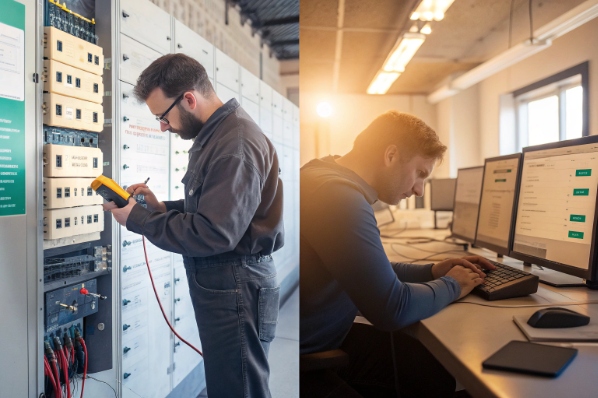
Common hybrid models
In a hybrid system, the core is digital, but some endpoints stay analog. The key building block is the gateway:
- FXS ports connect analog phones, intercoms, and fax devices.
- FXO ports connect analog PSTN lines into the IP world.
Vendors like us supply VoIP gateways 4, SIP intercoms, and SIP mainboards that sit between legacy field wiring and the IP backbone. The gateways convert continuous analog waveforms into digital samples, then into SIP packets. They also convert signals in the other direction.
A simple map looks like this:
| Device type | How to connect in a digital core | Notes |
|---|---|---|
| Analog desk phone | FXS port on VoIP gateway | Limited to basic telephony features |
| Analog door intercom | FXS to gateway + relay for door strike | Voice only unless you add IP camera nearby |
| Elevator emergency phone | FXS with dedicated emergency routing rules | Keep line supervision and power backup in design |
| Legacy analog trunk | FXO into IP PBX | Often used during migration from PSTN to SIP |
What still works well in analog
Some devices do one thing well and do not need smart features:
- Simple wall phones in stairwells or plant floors.
- Rugged phones in explosion-proof or high-noise zones.
- Some existing elevator phones that already meet local codes.
Keeping those on analog through FXS ports can be smart, while new devices in offices, lobbies, or control rooms move to SIP video door phones, SIP intercoms, or IP indoor stations.
Limits of mixing systems
There are limits to a hybrid design:
- Analog endpoints cannot use advanced digital features that depend on SIP, APIs, or video.
- Troubleshooting can become harder if you mix many small analog islands with IP at the core.
- Each analog port still needs physical wiring and local testing.
You also must plan power. Many analog emergency phones rely on line power from analog ports, while IP versions rely on PoE and UPS. Both can be robust, but the design is different.
For most customers, a hybrid path works best: start by placing IP at the core, then connect analog where it makes sense. Over time, you can swap analog endpoints to SIP devices without changing the main architecture.
How do maintenance and downtime compare for me?
Downtime hurts more than hardware cost. When lines are down, staff cannot call, doors cannot open, and emergency phones cannot reach help.
Analog systems are simpler and can degrade slowly, but they are harder to monitor remotely; digital systems have more parts, yet they allow centralized monitoring, updates, and redundancy that cut real downtime.
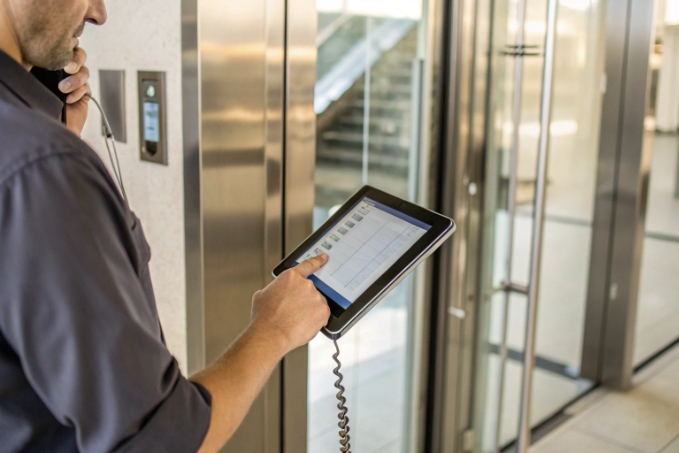
Maintenance tasks in analog vs digital
Analog maintenance is often physical:
- Check cables, punch-down blocks, and cross-connects.
- Replace handsets, hookswitches, or wall jacks.
- Trace noise and crosstalk along long cable runs.
There is very little firmware to upgrade. Most issues show as “no dial tone,” static, or low volume. Technicians use a butt set and a simple meter. This can be easy for small sites, but it is manual and slow for big campuses.
Digital maintenance is more about software and network:
- Monitor SIP registrations and call stats from a central dashboard 5.
- Upgrade firmware on IP phones, SIP intercoms, and gateways.
- Watch CPU, memory, and link health on IP PBX, routers, and switches.
Instead of walking from room to room, the admin sees the system from one screen and can fix many issues remotely.
Downtime profile and failure modes
The failure pattern is different:
| Aspect | Analog system | Digital system |
|---|---|---|
| Noise and drift | Increases over time, quality slowly degrades | Usually clean until a clear fault appears |
| Single-point fail | Main PBX or key system | Core IP PBX, switch, or router |
| Local line issue | Affects one phone or intercom | Often one device or one port only |
| Detection | Users notice and report | Monitoring raises alerts in real time |
Analog degrades gracefully. A cable gets wet, and volume drops. A connector rusts, and static shows up. The call may still be possible, but not pleasant. The risk is that no one checks until the day someone really needs the emergency phone.
Digital tends to be binary. A device is up and registered, or it is down. A network loop can break many phones at once. But you can design around this:
- Use redundant links and power for core IP PBX and gateways.
- Use multiple SIP trunks for failover.
- Use PoE switches on UPS to keep SIP intercoms and emergency phones alive.
Modern IP devices also offer remote testing. For example, an IP emergency phone can send a regular “heartbeat” to a server. If it stops, you know before an incident.
What this means in practice
For a small site with one analog PBX, maintenance is easy but mostly reactive. For a large multi-site or safety-critical environment, digital plus proper design reduces actual downtime, even if the architecture looks more complex.
In many DJSlink projects, we see this pattern: once customers move to SIP intercoms and IP PBX with SNMP or API monitoring, they start fixing issues before users notice them. Over a year, real downtime hours drop, even though the system is more advanced.
What training will my staff need to transition?
The last barrier is often not hardware, but people. The team that knows punch-down blocks and analog trunks may feel unsure about IP, VLANs, and SIP logs.
Your staff will need basic IP networking, SIP call-flow understanding, and new tools for monitoring; the good news is they can reuse much of their telephony logic and learn the new skills in stages.
Skills your team already has
Analog experience is not wasted. Your team already understands:
- How dial plans and extensions work.
- How hunt groups, ring groups, and line appearances behave.
- Why emergency paths need special care.
- How users actually behave with phones and intercoms.
This domain knowledge transfers almost one-to-one into IP PBX, SIP intercom, and unified communication projects. The main difference is the transport and the tools.
Skills to add for digital systems
For a move to digital and SIP, your staff should learn:
- Basic IP concepts: addressing, subnets, DHCP, and DNS.
- Network structure: switches, routers, VLANs and QoS for voice and video 6.
- SIP basics 7: INVITE, REGISTER, RTP streams, and how to read a call trace.
- Device management: web GUI, SSH, firmware updates, configuration backup.
You do not need to turn every technician into a deep network engineer. A simple, practical course works if it uses real examples from your site.
Here is a simple training map:
| Role | Key new skills | Typical training focus |
|---|---|---|
| Field technician | IP addressing, device web setup | Install and replace IP phones and SIP intercoms |
| Telephony admin | SIP call flow, IP PBX config | Dial plans, routing, user provisioning |
| Network engineer | QoS, VLANs, routing for voice traffic | End-to-end path design and monitoring |
| Helpdesk / support | Basic checks, restart, user issues | First line problem triage |
A staged transition plan
A smooth transition usually happens in stages:
-
Pilot zone
Start with one floor, one building, or one call flow. Let the team install, configure, and support IP devices there. -
Shadow operation
Run analog and digital in parallel for a while. Use SIP gateways to let old endpoints and new ones talk. This lowers risk. -
Knowledge capture
Document common issues and solutions. Build simple runbooks with screenshots and example SIP traces. -
Full rollout
Move more lines and devices once the team feels confident. The early pilot experience will guide them.
As a vendor, we usually share templates, config examples, and remote support in the first projects. After a few months, most customers handle day-to-day tasks on their own and only ask us for help on design changes or advanced features.
Conclusion
Analog keeps things simple and physical, while digital turns voice and control into flexible data; for most growing sites, a hybrid path now and a digital core later gives the best balance of budget, uptime, and future options.
Footnotes
-
Overview of analog signals as continuous-time variations in voltage, current, or frequency. Back ↩
-
Intro to IP PBX platforms and cloud-hosted phone systems for business communications. Back ↩
-
Guide to SIP trunking, capacity planning, and benefits for multi-site voice deployments. Back ↩
-
Overview of enterprise VoIP gateways connecting legacy analog lines and devices to IP networks. Back ↩
-
Example of monitoring SIP registrations, RTP streams, and quality metrics through a centralized dashboard. Back ↩
-
Best practices for using VLANs and QoS settings to prioritize real-time voice and video traffic. Back ↩
-
Plain-language introduction to SIP signaling, call setup, and media negotiation for VoIP systems. Back ↩








