
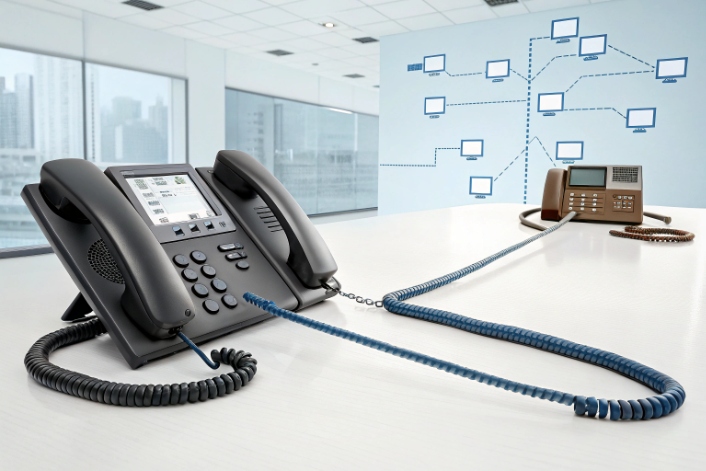
Analog lines feel simple and “just work,” but every proposal now mentions SIP, VoIP, and cloud. It is hard to see what you really gain by moving.
Analog telephony carries continuous electrical voice signals over copper loops, while digital and SIP systems carry sampled voice as data, which unlocks better quality, richer features, and easier scaling when the network is designed well.
The good news is you do not need to rip everything out in one night. You can keep existing numbers, run analog and IP side by side, and move each building in phases. The key is to understand what you have today, what VoIP actually changes, and how to plan migration steps that do not take phones down at 9 a.m. on Monday.
What is the difference between analog and digital telephony?
People use “analog,” “digital,” “IP,” and “VoIP” as if they mean the same thing, so projects start with confusion before any cable is touched.
Analog telephony sends a continuous electrical waveform, while digital telephony samples voice into discrete data and sends it as time slots or IP packets, which affects noise, features, cost, and failure behavior.
Waveforms vs samples in real calls
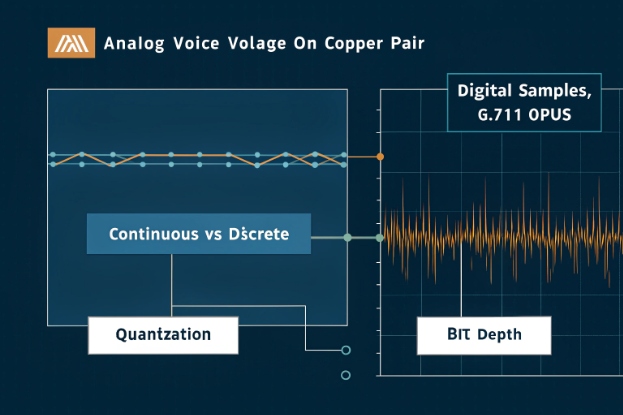
In analog telephony 1, the voice from your mouth becomes a continuous voltage on a copper pair. The signal changes all the time. Every meter of cable, every connector, and every analog amplifier adds a little noise and drift. The signal never stops being “analog” from one end to the other.
In a digital or SIP system, the handset converts voice into samples. Each sample becomes a number. A codec such as G.711 or Opus 2 packs these numbers into frames. On TDM systems the frames ride fixed time slots. On VoIP systems 3 they ride RTP packets across an IP network. What travels between sites is not voltage, but data.
Here is how that plays out in practice:
| Aspect | Analog telephony | Digital / VoIP telephony |
|---|---|---|
| Representation | Continuous signal (voltage, current) | Discrete symbols (bits, usually binary 0/1) |
| Processing | Amplifiers, filters, continuous-time circuits | DSPs and software algorithms on sampled data |
| Noise and drift | Builds up over distance and devices | Controlled; main limits are loss, jitter, and bit depth |
| Bandwidth use | One call per copper pair | Many calls share the same link with compression |
| Storage and copying | Each copy degrades a bit | Digital copies stay identical |
| Features and logic | Fixed by hardware and wiring | Flexible in software: routing, crypto, AI, analytics |
| Failure behavior | Degrades slowly with hiss or hum | Works well until thresholds are hit, then fails abruptly |
Digital is not “perfect.” Sampling and quantization set limits on resolution. If you choose low bit rates or a poor codec, you will hear it. But once the voice is digital, you can add echo cancellation, noise suppression, encryption, and smart routing in software instead of soldering more hardware.
One more difference matters for planning. Analog paths have almost zero added latency. The signal is already a waveform. Digital paths add some delay for sampling, encoding, decoding, and buffering. In a good network this delay is small, but you still need to design for it, especially on long WAN paths.
How do I tell if my lines are analog or SIP?
Before you choose any new platform, you must know what you actually have today. Mix-ups here lead to bad quotes, wrong hardware, and ugly surprises on cutover day.
You can usually tell analog from SIP by looking at the physical terminations, PBX ports, and carrier bills: analog uses RJ-11 loops and FXS/FXO ports, while SIP trunks arrive as IP links with usernames, passwords, and server addresses.
What to look for in your closets and invoices
A short walk with open eyes gives you most of the answer.
In the telecom closet or rack:
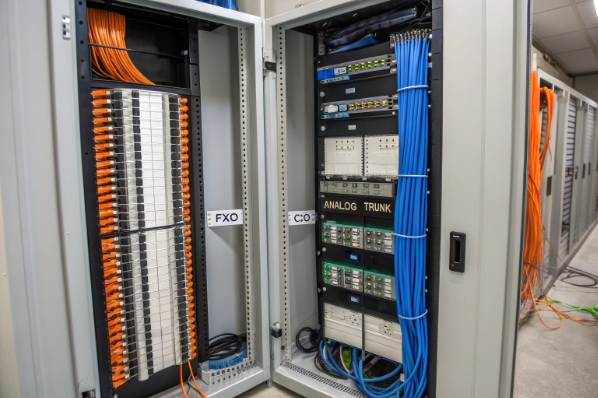
- RJ-11 ports feeding desk phones, fax machines, modems, alarms, or elevator phones 4 usually point to analog.
- 66 or 110 blocks with lots of small pairs going to a telco handoff are also a strong analog or T1/E1 signal.
- PBX line cards labeled “FXO,” “CO,” or “Analog Trunk” terminate analog lines from the carrier.
- IP phones that plug into RJ-45 ports on PoE switches talk to an IP PBX or cloud platform using SIP or a similar protocol.
On the carrier and PBX side:
- If you see a dedicated router or SBC from the carrier, with an Ethernet handoff into your PBX, that likely means SIP trunks 5.
- In the PBX configuration, trunks that show “SIP,” “ITSP,” or a domain name (like sip.provider.com) are IP trunks.
- Trunks that show only “Line 1–8,” mapped to ports, are usually analog.
Your bills also tell a story. A bill listing “Business line 1–10” with separate line charges is almost always analog. A bill listing “SIP trunk, 20 channels” or “VoIP service, 10 concurrent calls” is digital.
This quick table helps during inventory:
| Clue | Likely analog / TDM | Likely SIP / VoIP |
|---|---|---|
| Wall outlet to phone | RJ-11 | RJ-45 |
| PBX port labels | FXS, FXO, CO line, SLT | LAN, WAN, SIP, Ethernet only |
| Demarc | Punch block with pairs | Router/SBC with Ethernet handoff |
| Phone behavior | Works with no login, just dial tone | Needs server address and registration |
| Invoice wording | Business lines, POTS, trunk group | SIP trunk, IP voice, concurrent sessions |
It is common to find a mix. For example, a site might use SIP trunks into a digital PBX and still feed analog extensions to stairwell phones or old fax machines. For planning, treat “lines” and “endpoints” separately so you can modernize one without breaking the other.
Will switching to VoIP improve my voice quality and uptime?
Many teams have heard horror stories of early VoIP: robotic voices, dropped calls, and one broken router taking down every phone. That fear is real.
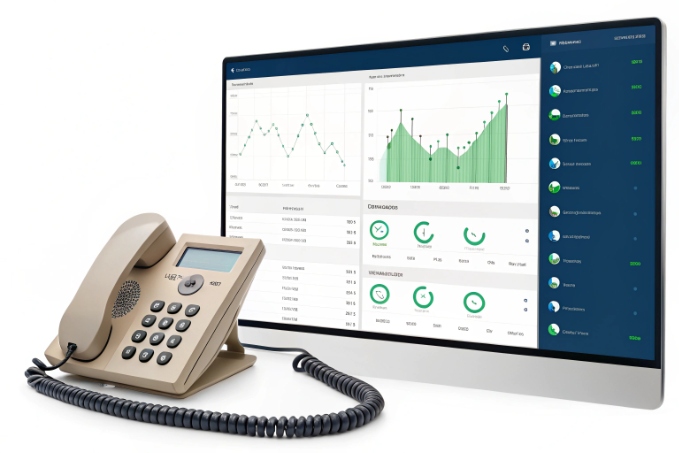
Switching to VoIP can improve quality and uptime when you design the LAN, WAN, and power for real-time traffic; without that, you simply trade analog noise for jitter and new single points of failure.
What really changes for quality and stability
VoIP does not magically sound better just because it is “IP.” Quality depends on codecs and network design.
On the quality side:
- With enough bandwidth and low loss, G.711 over IP already matches classic PSTN quality.
- Wideband codecs such as Opus or G.722 6 give a more natural sound for internal and SIP–to–SIP calls.
- Digital echo cancellation and noise reduction help in offices, factories, and station platforms.
On the network side:
- Packet loss makes words drop or sound robotic.
- High latency makes conversations feel slow and awkward.
- Jitter forces bigger buffers, which adds delay and echo.
So for a VoIP move, you must check:
- Switches: managed, with QoS and, if needed, voice VLANs.
- WAN: enough capacity and a stable link, or even dedicated SIP connectivity.
- Routers and firewalls: no strange SIP ALG behavior, proper bandwidth rules.
Uptime also changes. Analog gets line power from the central office. A simple phone may keep working during a local blackout. VoIP depends on your own power and network:
- Phones need PoE or adapters plus UPS on core gear.
- Routers, firewalls, and IP PBX servers must stay alive.
- Internet outages matter if you rely on cloud only.
Here is a simple comparison:
| Situation | Analog outcome | Well-designed VoIP outcome |
|---|---|---|
| Local building power loss | Basic phones still work from the CO | Phones work if PoE switches and core have UPS |
| ISP outage | PSTN lines unaffected | Phones fail unless you have backup link or local PSTN |
| Internal call quality | Fixed narrowband | Can be wideband with better clarity |
| Adding new features | Needs new hardware cards | Often just software licenses or config |
| Multi-site failover | Each site is isolated | Sites can share SIP trunks and backup call paths |
In many DJSlink deployments, customers see fewer hard outages after VoIP, because we add monitoring, redundancy, and UPS at the same time. They move from “we notice only when staff complain” to “the system warns us before users hear anything.” The technology change is important, but the design around it is what really improves quality and uptime.
Can I keep my numbers and existing cabling?
The two biggest worries during migration are very simple: “Will we lose our main numbers?” and “Do we need to recable everything?”
In most cases you can port your numbers to VoIP and reuse your structured cabling; only a few special lines and very old cables need analog service or dedicated gateways.

Numbers, cabling, and which parts really change
Numbering is usually easier than people expect. In many countries and regions, you can port your existing PSTN and ISDN numbers to a SIP provider 7 or to SIP trunks behind an SBC. The steps are simple but slow:
- Gather all numbers and account details for each carrier.
- Ask the new provider to port them; sign the forms they need.
- Choose a cutover date and time window with both carriers.
During porting, you can use call forwarding to send calls from old trunks into your new SIP system for testing. For mission-critical lines, keep at least one analog path in parallel until you see stable traffic after porting.
Cabling is more physical. If your building already has Cat5 or Cat6 to desks and control rooms, you can reuse it for IP phones, SIP intercoms, and IP PBX connections:
- One cable can serve both the phone and the PC, with the switch doing VLAN separation.
- PoE can power handsets, SIP door stations, and SIP emergency phones from the switch.
Where you have only old two-wire voice cabling, you have options:
- Reuse it for analog endpoints behind FXS gateways that connect to SIP trunks.
- In short runs, sometimes carry 10/100 Ethernet over legacy pairs as a temporary step.
- Plan gradual recabling for busy zones while keeping low-use analog phones as they are.
This quick matrix helps during planning:
| Item | Keep as is? | Typical VoIP-friendly choice |
|---|---|---|
| Main published numbers | Yes, via porting | Port to new SIP provider or SIP trunk |
| Fax and modem numbers | Often, but fragile | Keep analog or use FXS gateway / eFax |
| Alarm and elevator lines | Often best as analog | Keep POTS, or move to specialized SIP solutions |
| Desk Cat5/Cat6 cabling | Yes | Reuse for IP phones, SIP intercoms, and PCs |
| Old 2-wire station cable | Sometimes | Use behind FXS gateways or recable in stages |
In many sites we end up with a hybrid: SIP trunks and an IP PBX at the core, IP phones for offices and control rooms, and a small analog “island” behind gateways for legacy fax, alarm panels, or specific emergency phones. That way you keep investment in existing wiring where it makes sense, while new areas move fully to IP.
What migration steps should I plan for my sites?
The last question is not about codecs or cables. It is about project risk. A rushed “big bang” cutover is how you end up with every phone down when staff arrive.
Plan your migration in clear phases: inventory and assess each site, design your target IP and SIP architecture, run a pilot, then roll out in waves with number porting and tested fallbacks.
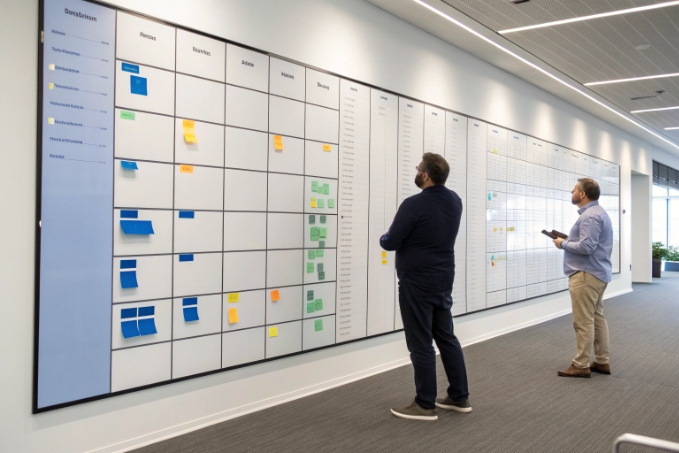
A simple, repeatable migration path
Over the years, a pattern has worked well across offices, factories, and transport hubs. It keeps risk low and lets your team learn as you go.
First, inventory and classify:
- List every number per site, including fax, alarms, elevators, gates, and emergency posts.
- Map each to a trunk type: analog, PRI, SIP, or cellular.
- Note current PBX type and whether endpoints are analog, digital proprietary, or IP.
- Check LAN and WAN: switches, PoE, QoS, internet links, and any existing VLAN design.
Classify each endpoint by criticality:
- Life safety and security (must have fallbacks).
- Business-critical (reception, contact center, operations).
- Low-risk (rarely used desks, back-office lines).
Second, design the target model:
- Choose cloud PBX, hosted IP PBX, or on-premises IP PBX based on your control needs.
- Decide how SIP trunks will enter: directly from the provider, via an SBC, or using a hybrid design.
- Define the dial plan, extension ranges, site codes, and emergency behavior.
- Decide where you will keep analog, where you will use FXS gateways, and where you move straight to SIP endpoints like IP phones or SIP intercoms.
Third, run a pilot in one controlled area:
- Pick one site or one building with a mix of typical use cases.
- Port a few low-risk numbers or use test ranges first.
- Deploy IP phones, softphones, or SIP intercoms there and watch behavior for some weeks.
During the pilot, you test:
- Call quality to and from the PSTN.
- Internal calls between new IP endpoints.
- Failover scenarios: WAN down, one switch down, power events.
- Integration with door phones, paging, and emergency devices where you use DJSlink or similar SIP gear.
Fourth, roll out in waves:
- Group sites with similar carriers and hardware so the same design applies.
- Schedule ports and cutovers outside peak time, with rollback plans and clear change windows.
- During each wave, keep a small number of analog lines or a backup trunk until traffic is stable.
Finally, optimize and standardize:
- Tweak QoS and bandwidth once you see real traffic patterns.
- Clean up dial plans, remove temporary forwards, and document final routing.
- Build standard configurations for phones, gateways, SIP intercoms, and emergency phones so future additions are easy.
A simple lifecycle view looks like this:
| Phase | Goal | Main outputs |
|---|---|---|
| Discover | Know what you have | Inventory of lines, devices, contracts, and cabling |
| Design | Decide where you are going | Target architecture, dial plan, SIP and analog strategy |
| Pilot | Prove the design on a small scale | Pilot site with real users and live calls |
| Deploy | Move the rest safely | Staged cutovers, ported numbers, hybrid where needed |
| Improve | Tune and prepare for growth | Monitoring, templates, and a clean support model |
When you follow these steps, the move from analog to digital telephony becomes a controlled change, not a gamble. Your teams learn on a pilot, your users keep their numbers, and each site moves when the design and people are ready.
Conclusion
Analog telephony feels simple, but a planned move to SIP and VoIP, done in phases with the right design, gives you better quality, more control, and a platform that can grow with your sites.
Footnotes
-
Background on traditional analog telephone service and continuous electrical voice signals. Back ↩
-
Introduction to common VoIP audio codecs, including G.711 and Opus, and how they compress voice. Back ↩
-
Overview of Voice over IP technology, protocols, and how calls travel as data across networks. Back ↩
-
Details on RJ-11 and other registered jacks used for telephony cabling and terminations. Back ↩
-
Explanation of SIP trunking, channel capacity, and how it replaces traditional telephone lines. Back ↩
-
Explanation of wideband audio and why codecs like Opus and G.722 improve clarity. Back ↩
-
Overview of local number portability and keeping phone numbers when changing providers. Back ↩








