
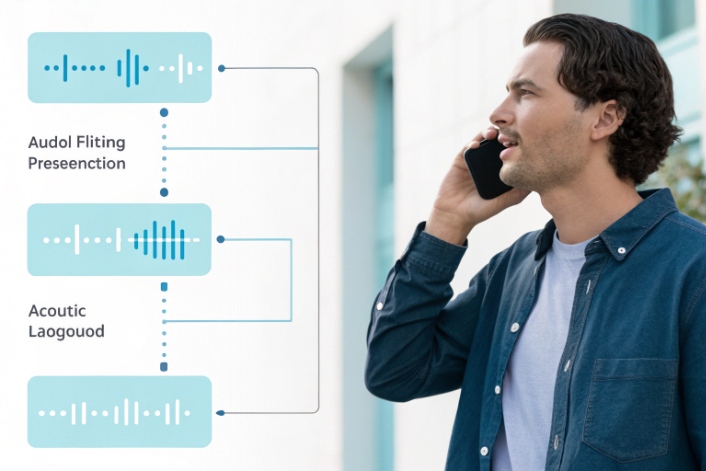
Voice projects fail fast when machines mishear customers, guess intents, and push everyone back to simple “press 1” menus.
Automatic Speech Recognition (ASR) turns speech into text by running audio through acoustic and language models, so IVRs, voice bots, and analytics systems can understand callers and automate more work.
ASR listens to audio, strips silence and noise, extracts features like MFCC or log-mel, and feeds them into acoustic and language models. Modern systems use end-to-end architectures such as RNN-T, Conformer, or Transformer 1, trained on huge speech–text pairs. They support streaming for IVR and live calls, and batch mode for recordings and compliance. In our SIP and IP intercom world, ASR is the bridge that turns noisy phone lines, elevators, and factory floors into structured text that routing engines and bots can use.
How do I boost ASR accuracy for IVR?
Your IVR may sound polished, but callers still say “agent” because the system mishears names, dates, and account numbers in real noise.
You boost ASR accuracy in IVR by fixing audio first, then tuning prompts, grammars, vocabularies, and barge-in rules, plus using domain-adapted models and smart fallbacks like DTMF.
Start with clean telephony audio
Every recognition error starts as a signal problem. If the IVR hears bad audio, no model can fully repair it.
For PSTN and SIP, that means:
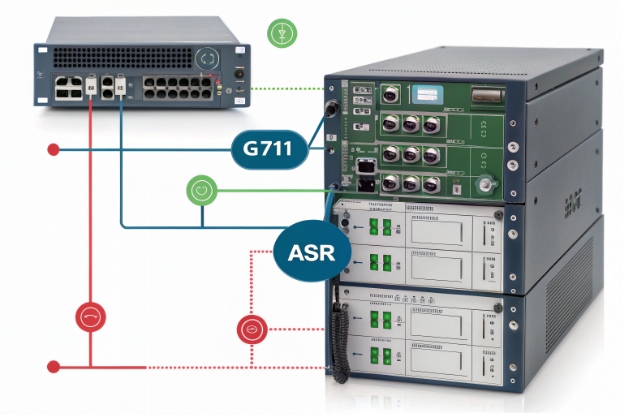
- Use stable codecs (G.711 for most IVR work 2, avoid heavy compression like GSM where you can).
- Control loudness and AGC so the ASR sees a steady level.
- Apply echo cancellation and noise suppression at the media gateway 3.
- Make sure VAD (voice activity detection) is tuned so it does not cut off the start or end of words.
In DJSlink-style deployments with industrial and public safety phones, we sometimes design the handset or intercom mic position around ASR. A small grille change and better echo control can move WER by several points.
A simple checklist helps:
| Layer | What to check | Example actions |
|---|---|---|
| Codec | Bandwidth and compression | Prefer G.711 or OPUS wideband where possible |
| Levels | Loudness and clipping | Calibrate AGC; avoid overdriving analog gateways |
| Noise | Background and echo | Use AEC, NS, and better mic placement |
| VAD / barge-in | Cutoffs and early start | Tune thresholds; test with fast talkers |
Design prompts for machines, not only for humans
Many IVRs sound great to human ears but confuse ASR engines. Good copy is not always good machine input.
You can improve accuracy with simple prompt changes:
- Ask for one thing at a time: “Say or enter your ten-digit account number” instead of long nested sentences.
- Move key information to the end of prompts so callers do not talk over it.
- Avoid similar-sounding choices in the same menu (“billing” and “building” in one list is risky).
- Use explicit examples: “For example, say ‘billing’, ‘technical support’, or ‘new order’.”
For constrained tasks like dates, card numbers, or “yes/no”, consider grammars instead of pure free-form language models. Grammars reduce the search space, so the ASR can lock onto valid patterns more easily.
Combine ASR with smart dialog design
Accuracy is not only about the engine. The dialog can catch many problems early.
Good patterns include:
- Confirm critical fields with short repeat-backs: “I heard one two three four. Is that right?”
- Use confidence scores from ASR to decide when to reprompt, confirm, or fall back to an agent.
- Allow a DTMF escape for tricky fields like card numbers or long IDs.
- Use N-best alternatives when confidence is moderate, and let the caller pick from one or two guessed options.
A simple flow:
| Confidence band | System choice |
|---|---|
| High | Accept and move on |
| Medium | Offer top two guesses for confirmation |
| Low | Reprompt or send to agent |
In one live IVR project, we saw more improvement from prompt rewriting, better barge-in timing, and confidence-based confirmation than from changing the core ASR vendor. The engine was already strong; the dialog needed to stop fighting it.
What languages and acoustic models matter?
The same ASR engine can shine in US English and fail badly on accented Spanish or noisy call centers if you pick the wrong models.
Language and acoustic models matter because they encode accents, phonetics, noise conditions, and domain vocabulary; the closer they match your callers and channels, the lower your error rates.
Match models to channels and regions
First, match the acoustic side to your channel:
- Telephony models are trained on 8 kHz audio with typical line noise and codecs 4.
- Wideband models focus on 16 kHz or higher for apps, web, and rich devices.
- Far-field models aim at rooms and speakerphones, with more echo and reverb.
If your IVR or SIP intercom runs at 8 kHz, do not feed that into a pure wideband model and expect miracles. Pick a model built for PSTN, or at least one trained with downsampled telephony data.
Then, match language and region:
- Use regional variants: en-US vs en-GB vs en-IN, pt-BR vs pt-PT, etc.
- For multilingual cities, route by DNIS, IVR choice, or ANI hint to the right language pack.
- For mixed languages, consider multilingual models that handle code-switching, but test them carefully.
Adapt models to your domain
Even a great general model will not know your product codes, street names, or internal jargon on day one.
You can improve this with:
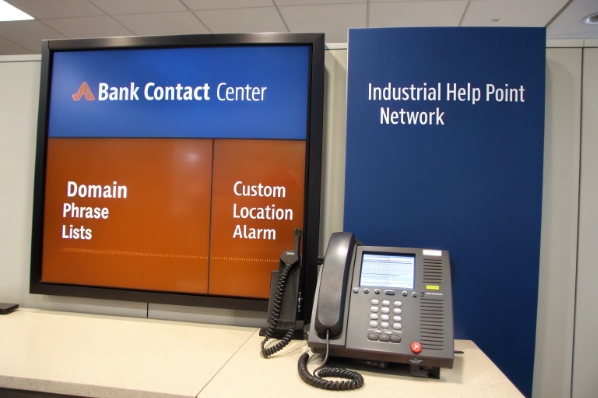
- Custom vocabularies and phrase lists: push key terms to the language model.
- Pronunciation dictionaries: specify how special names and acronyms sound.
- Domain-tuned language models: fine-tune on your tickets, emails, and historical transcripts.
- Data selection: over-sample use cases you care about, like IVR self-service for billing.
A quick mapping:
| Scenario | Model choice |
|---|---|
| Bank IVR, national market | Telephony, local language + banking phrases |
| Global SaaS support | Per-region language packs + shared jargon list |
| Industrial help points | Noise-robust telephony + custom location names |
| Mobile app voice assistant | Wideband multi-locale + strong LM |
From our side, when we deploy ASR for SIP emergency and intercom devices, we often favor simpler language sets but heavier acoustic robustness. People shout, there is wind or machinery, and clarity beats full free-form coverage.
How does ASR integrate with NLU?
Raw transcripts are helpful, but they do not answer “What does this caller want?” or “Which slot values did they give me?”
ASR turns audio into text, and NLU turns that text into intents and entities; together they create voice bots and smart IVR that act instead of just transcribing.
A simple ASR → NLU pipeline
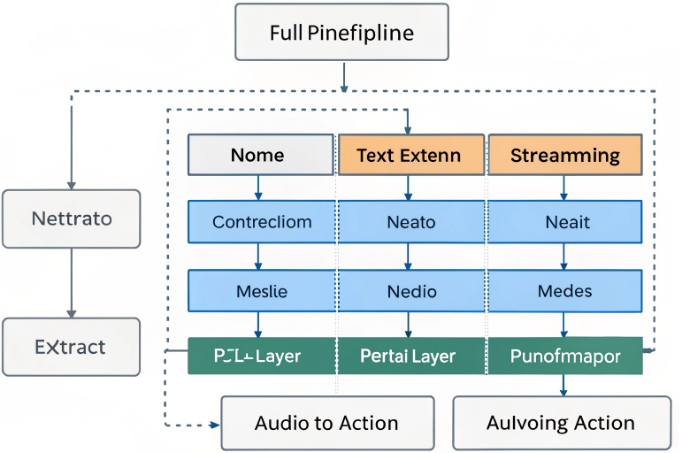
Most production systems follow a layered voice pipeline from audio capture through ASR and NLU to dialog management 5:
- Audio enters over RTP or WebRTC.
- Streaming ASR produces partial and final text with timestamps and confidences.
- A pre-processor adds casing, punctuation, and inverse text normalization for numbers and dates.
- The NLU engine consumes the cleaned text and predicts intent and entities.
- Dialog management decides the next step: respond, ask again, or transfer.
ASR often outputs more than a single string. It can send:
- N-best hypotheses.
- Word-level timestamps.
- Per-token confidence scores.
NLU can use these to become more robust. For example, if the top transcript is “change billing adress” with low confidence on “adress”, an NLU model with spelling tolerance can still choose a “change_billing_address” intent and ask for confirmation.
Sharing knowledge between ASR and NLU
You can push the same domain knowledge into both layers:
- Use the same list of intents and keyphrases to bias the language model and the NLU vocabulary.
- Share custom entities like product names between pronunciation dictionaries and NLU gazetteers.
- Adjust both when your business changes (new plans, services, regions).
An integration view:
| Layer | Role | Shared pieces |
|---|---|---|
| ASR | Audio → text | Domain phrases, pronunciations, numbers |
| Normalizer | Text clean-up | Formatting rules for dates, money, IDs |
| NLU | Text → intent + entities | Entity lists, synonyms, example utterances |
| Dialog | State and response logic | Business rules, policies, escalation paths |
This separation keeps your system flexible. You can swap NLU engines or update ASR models as long as the interfaces stay stable. In real projects, we often start with simple intent sets and add more only when logs show clear new patterns.
What metrics evaluate ASR performance?
You may feel one engine “sounds better” than another, but without clear metrics you cannot defend choices or track improvements over time.
Key ASR metrics include Word Error Rate, latency, confidence distribution, and entity accuracy, plus business metrics like task completion and containment for IVR and bots.
Core recognition metrics
The classic metric is Word Error Rate (WER). Word Error Rate (WER) 6 is defined as:
- WER = (substitutions + insertions + deletions) / total words.
- Lower is better.
For some languages and scripts, Character Error Rate (CER) works better, especially with logographic writing or short words.
You also watch:
- Sentence Error Rate (SER): share of utterances with at least one error.
- Real-Time Factor (RTF): processing time / audio time; it shows latency.
- Stability: how often partial results change during streaming.
A quick table:
| Metric | What it shows | Why it matters |
|---|---|---|
| WER | Overall word-level accuracy | Baseline quality across domains |
| CER | Character-level accuracy | Better for some languages / short tokens |
| SER | Utterance-level success | Useful for yes/no and command tasks |
| RTF | Latency and compute cost | Crucial for live IVR and bots |
What business metrics matter for IVR and voice bots
Raw accuracy metrics do not tell the full story. Two systems with the same WER can behave very differently in a live IVR.
So you also track:
- Intent accuracy: correct intent predictions / total utterances.
- Slot / entity accuracy: correct values pulled from speech (dates, amounts, IDs).
- Task completion and containment: share of calls that finish self-service without an agent.
- Average turns per task: how many back-and-forths it takes to complete a job.
Task completion and containment metrics for IVR self-service 7 connect ASR quality directly to business outcomes.
From the contact center view:
- If WER is high but containment is also high, maybe your dialog compensates well.
- If WER is moderate but abandonment is high, prompts or routing may be the real problem.
You can line this up:
| Layer | Metric | Example target |
|---|---|---|
| ASR | WER on IVR test set | Below 10–15% on key intents |
| NLU | Intent accuracy | Above 90–95% on top intents |
| Dialog | Task completion / containment | Higher each release cycle |
| CX | CSAT / NPS for self-service | Up after each major tuning |
In practice, the most useful view is a small, fixed scorecard that product, CX, and engineering teams all share. That way, when you change codecs, train new acoustic models, or rewrite prompts, everyone can see what really changed in both accuracy and experience.
Conclusion
ASR is more than transcription; with tuned audio, the right models, tight NLU integration, and clear metrics, your IVR or voice bot can actually understand callers and complete real work.
Footnotes
-
Survey of modern end-to-end ASR architectures including RNN-T, Transformer, and Conformer approaches. ↩ ↩
-
Overview of common VoIP codecs and why G.711 remains standard for high-quality telephony audio. ↩ ↩
-
Guidance on enabling echo cancellation and noise suppression to improve call audio quality. ↩ ↩
-
Explanation of how acoustic models differ for telephony versus desktop speech recognition. ↩ ↩
-
Breakdown of a typical voicebot pipeline from audio capture through ASR, NLU, and dialog management. ↩ ↩
-
Definition and formula for Word Error Rate as a standard ASR accuracy metric. ↩ ↩
-
Example of using containment and task completion to evaluate conversational IVR performance. ↩ ↩








